
Guest mobile ordering
What can I order?
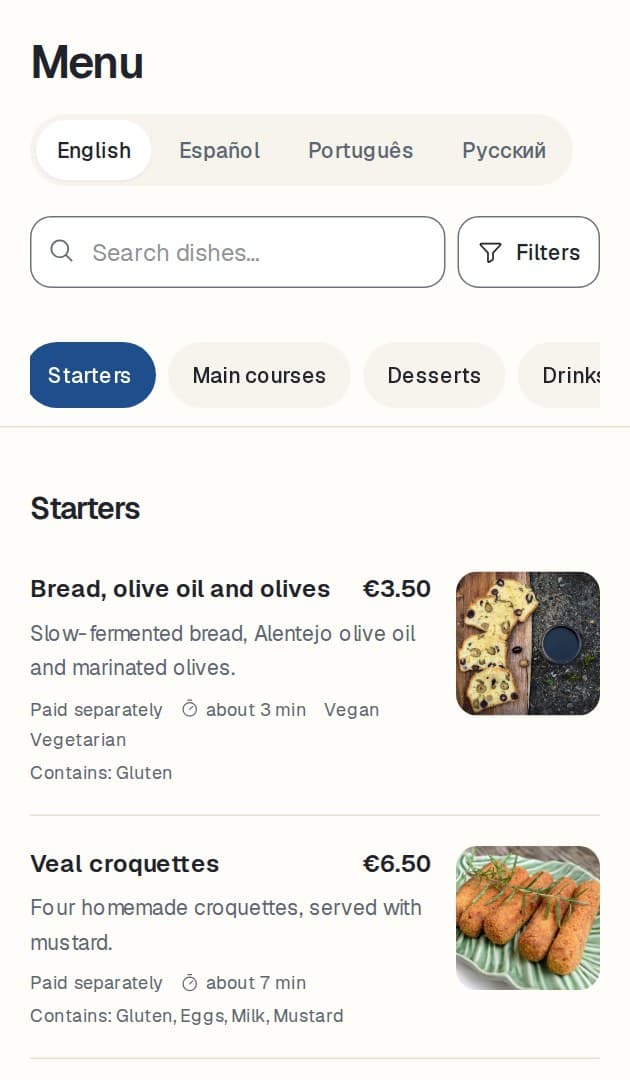
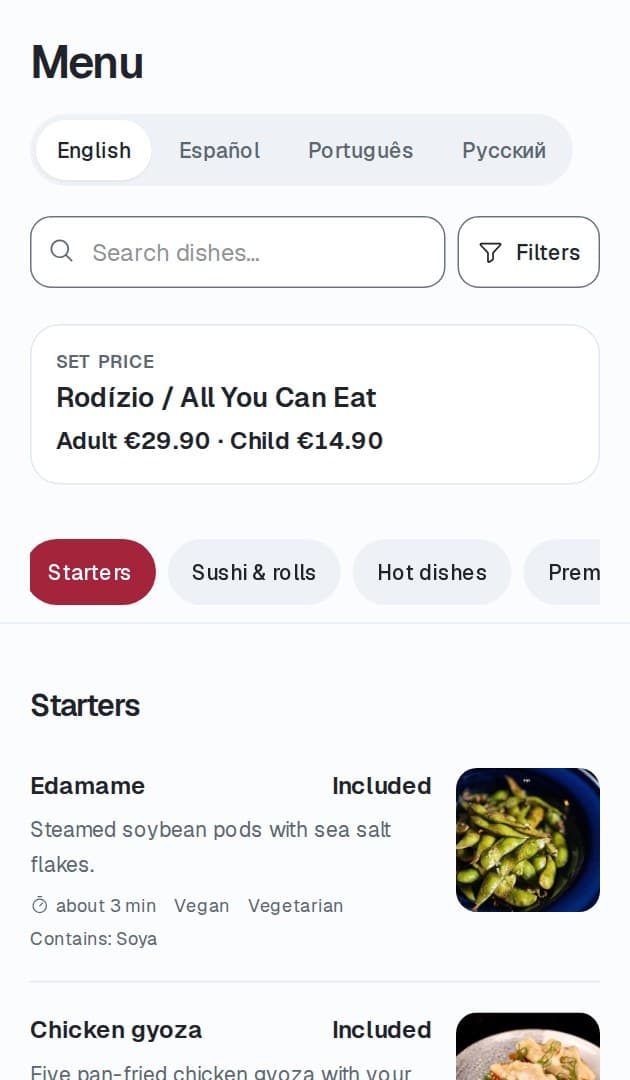
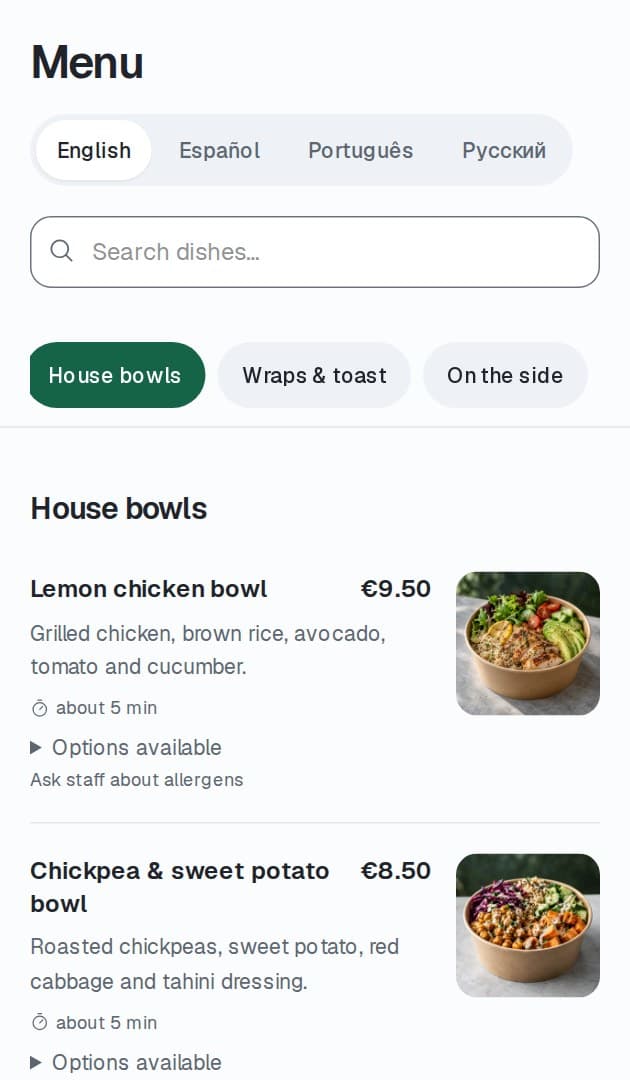
A clean, branded menu with variants, allergens, and live availability, on the diner's own phone.
ForkPI keeps guest orders, Floor, and Kitchen in sync throughout service.
No app for guests to download. No card required to start.See how it works
ForkPI helps every team see what needs to happen next.
Guests place and repeat their own orders, so staff can spend more time looking after the room.
Returning to the menu for another round takes a few taps; ideal for all-you-can-eat, drinks, and multi-course service.
Every accepted item is routed to the correct kitchen or bar station automatically, with a clear queue for each.
Staff see which tables are ordering, waiting, ready, or asking for help on one board that updates throughout service.
One clear flow from publishing the menu to closing the table.
Create your menu or import dishes from the documents you already use.
Set up tables, service packages, rounds, and the rules that govern ordering.
Each table gets its own code that opens the guest ordering view.
Opening the table keeps its menu, prices, and rules unchanged for that visit.
Diners join the table on their own phone and explore the menu.
The restaurant accepts or rejects each order. Accepted dishes go to the correct kitchen or bar queue.
Clear statuses show whether each dish is being prepared, ready, collected, or served.
Diners follow their order and request assistance without flagging anyone down.
The restaurant takes payment as usual. ForkPI records it and checks that nothing is left unfinished before the table closes.
Practical screens for guests, Floor, Kitchen, and management.
Each screen answers one practical question.
Guest mobile ordering
A clean, branded menu with variants, allergens, and live availability, on the diner's own phone.
Live service board
Every table's state and every open request in one place, updating as service happens.
Kitchen station queue
A focused queue per station, ordered so the line always knows what is next.
Expo and delivery
Expo sees what is ready to leave the pass and what is still waiting, before it reaches the table.
Menu authoring
Edit, review, and publish menu changes before guests see them.
Table and QR management
Manage tables and their codes, then open and close each table as guests arrive and leave.
ForkPI adapts to the way your restaurant serves.
Not every configuration suits every business; ForkPI is set up to match how you serve.
Strongest where guests order more than once; and dependable for ordinary table service too.
All-you-can-eat, Korean BBQ and hotpot, tapas and small plates; anywhere guests come back to the menu round after round.
Trust is part of the product, not an afterthought.
Guests order without creating an account or profile.
Guest access applies only to one table and ends when the restaurant closes that visit.
A table code alone does not allow ordering. The restaurant opens the table and controls who can join.
Each restaurant's data is isolated from every other restaurant on the platform.
Accepted orders are recorded durably so nothing is lost mid-service.
Published changes to menus, service options, and pricing remain recorded.
Staff and kitchen access is limited to what each role needs.
Backup and recovery procedures protect your operational data.
No guest application download is required.
Designed for current mobile and desktop browsers.
Start free during the launch period. No commission on your orders.
Simple monthly subscription · per location
Your free launch period begins when you run your first live service; not when you sign up.
No commission is taken on your orders.
Add more locations as you grow; future add-ons are optional.
Already using ForkPI? Sign in
The things restaurant operators ask us first.
No. Guests join a table and order without creating any account or profile.
No. Ordering runs in the phone's web browser. There is nothing for diners to download.
ForkPI keeps table orders, Floor, and Kitchen in sync. It works alongside your existing till instead of replacing it.
ForkPI shows the bill and records what was paid. Your restaurant still accepts the money through its till, card terminal, cash, or another chosen method.
Yes. Staff and guests see the same table visit, so staff can add or adjust an order at any time.
Yes. You can set rounds, pauses between orders, and limits for each round or package.
The guest screen keeps the last saved view and never claims an order was accepted without the restaurant's confirmation. It reloads the current state when the connection returns.
Yes. The guest experience carries your restaurant's name, logo, and colours, within accessibility-safe limits.
Yes. The interface is available in English, Russian, Kazakh, and Spanish. Restaurants can add their own translations of menu content.
The restaurant records allergens for each dish. If a dish has not been checked, ForkPI never presents it as confirmed safe.
Modern phone browsers for guests, plus shared desktops, terminals, kitchen displays, and tablets for staff.
Your free period starts when you serve your first real table, not when you sign up, so setup time is not counted against you.
Set up your menu, print your table codes, and run your first live service; free for 30 days.
Want to see it first? We will walk you through ForkPI on a real restaurant workflow.
Already a customer? Sign in